



Cart
£0.00
These days, screens, (on laptops, tablets and smartphones,) are used incredibly frequently: as part of our job, the vast majority of us are forced to stare at a screen for eight hours, (or more,) a day, Though you may not think about it at the time, all of these activities can actually strain your eyes. Below, we provide tips on how protect the health of your eyes.

1. Though it is easy to do, don't ignore evidence that your eyes might need a break: the symptoms of eye strain include blurry vision, difficulty focusing, irritated eyes and aching in the neck, (and upper back.) As well as being indicative of eye strain, these symptoms could also be masking a more serious condition. It is always a good idea to book a check-up with your GP if you're having severe trouble with your vision or, if you constantly ache.
2. Rather than looking at your laptop, tablet or smartphone straight on, find a comfortable working position in which you are able to look, at a downward trajectory, at the screen. When you look directly at a screen, your eyes widen, causing the lubricant keeping them moist to dry. When you look at things from a higher vantage point, your eyes don't have to do as much work and, will therefore remain moist significantly longer, helping to reduce eye strain.
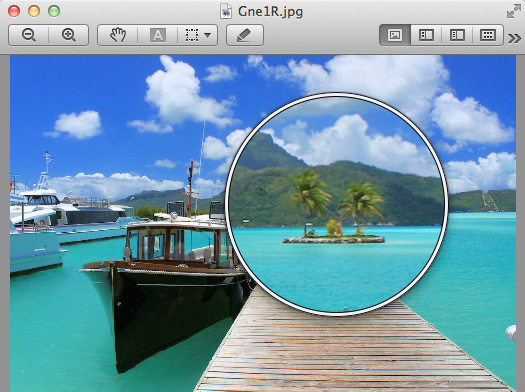
3. Remember that you can always magnify laptop, tablet and smartphone screens to make it easier to read the text. If you're having trouble reading a size 11 or 12 font, either magnify the screen or try working in a larger font.
4. If the screen on your tablet or laptop is extremely bright, consider turning it down, slightly: strain is put on your eyes when they are called upon to adjust between the natural light where you're using your device to the artificial light given off by the screen.
5. Though not the best option if you're a film or video fanatic, matte screens are the better option if you use your laptop for long periods of time. Conversely, glossy screens, (with a shiny finish,) reflect light back into your eyes, causing them to work harder and adding to the problem of eye strain.
6. If you're using a portable device, (such as a tablet or a smartphone,) try your best to hold it at arm’s length when surfing the net or composing messages.
7. Remember to set aside time, every hour, to look away from your laptop or tablet screen. Looking at an object in the distance refocuses your eyes and gives them a chance to relax.
8. If you wear contact lenses and spend hours at a time looking at a screen, perhaps consider substituting the contacts for glasses, every now and then. Eye strain is thought to particularly affect wearers of contact lenses.
Eye fatigue: causes, symptoms and treatment

